### Understanding and Enjoying Sudoku on Android: A Comprehensive Guide
#### Sudoku: The Puzzling Game
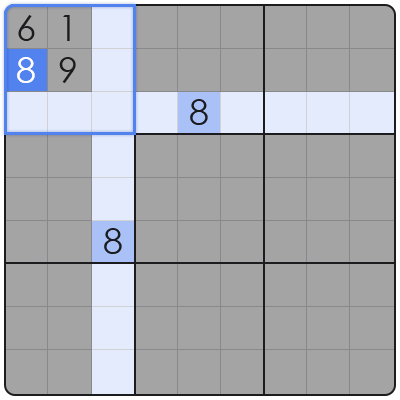
Sudoku is a popular puzzle game that requires players to fill a 9×9 grid with numbers so that each column, each row, and each of the nine 3×3 subgrids that compose the grid (also called “boxes”, “blocks”, or “regions”) contain all of the digits from 1 to 9. The objective is to place numbers in such a way that no number is repeated in any row, column, or 3×3 subgrid.
#### Why Sudoku on Android?
Android devices offer a convenient and enjoyable way to play Sudoku. With numerous apps available, you can enjoy this challenging game anytime, anywhere. Here are some reasons why Sudoku on Android is a great choice:
– **Portability**: Play Sudoku on your Android phone or tablet, no matter where you are.
– **Variety of Apps**: Choose from a variety of Sudoku apps, each with unique features and difficulty levels.
– **Customization**: Most Sudoku apps allow you to customize the grid size, difficulty, and even the style of the game.
#### Top Sudoku Android Apps
1. **Sudoku Free**:
– Offers a simple and clean interface.
– Supports different grid sizes and difficulty levels.
– Includes hints and solutions.
2. **Sudoku**:
– Features a modern and user-friendly design.
– Offers daily puzzles and a timer for timed challenges.
– Allows you to save and resume puzzles.
3. **Sudoku Classic**:
– A classic Sudoku app with a straightforward approach.
– Includes various difficulty levels and a timer.
– Offers hints and solutions.
#### How to Play Sudoku on Android
1. **Download an App**: Choose a Sudoku app from the list above or search the Google Play Store for “Sudoku Android.”
2. **Select a Puzzle**: Choose a puzzle from the available options. You can select a random puzzle, a daily puzzle, or a puzzle of your preferred difficulty level.
3. **Fill the Grid**: Use your fingers to tap on a cell and select a number from 1 to 9. Place the number in the selected cell.
4. **Check Your Progress**: Some apps allow you to see how many numbers you have left to place. Use this as a guide to check your progress.
5. **Use Hints**: If you get stuck, use the hint feature to get a clue about a particular cell.
#### Frequently Asked Questions (FAQ)
**Q: How do I solve a Sudoku puzzle?**
A: Sudoku puzzles are solved by placing numbers in such a way that each row, column, and 3×3 subgrid contains all digits from 1 to 9. Use logical deduction and elimination to find the correct numbers.
**Q: Are there different types of Sudoku puzzles?**
A: Yes, there are various types of Sudoku puzzles, including standard Sudoku, jigsaw Sudoku, diagonal Sudoku, and more. Each type has its own rules and variations.
**Q: Can I play Sudoku offline on my Android device?**
A: Yes, most Sudoku apps allow you to play offline. This means you can enjoy the game without an internet connection.
**Q: What if I make a mistake while playing Sudoku?**
A: Most Sudoku apps provide a “undo” feature that allows you to backtrack and change your previous moves.
**Q: Can I share my Sudoku puzzles with friends?**
A: Some Sudoku apps offer social features that allow you to share your progress or completed puzzles with friends on social media platforms.
**Q: How can I improve my Sudoku skills?**
A: Practice regularly, challenge yourself with more difficult puzzles, and try to solve puzzles without using hints. Join online communities to learn new strategies and techniques from other players.
Enjoy your Sudoku journey on Android, and may your grids always be filled with the right numbers!
