# Generating a Sudoku Puzzle in C++
## Overview
Creating a Sudoku puzzle generator is a popular exercise for programmers, offering a mix of algorithmic thinking and practical application. This article delves into the process of generating a Sudoku puzzle using C++. We will discuss the necessary algorithms, data structures, and code snippets to achieve this.
## Key Concepts
### Data Structure
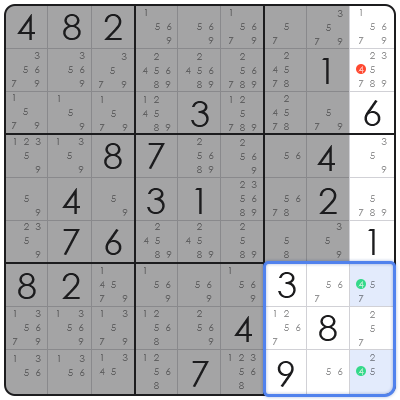
To represent the Sudoku grid, we can use a 2D array of integers. Each cell in the array can represent a number from 1 to 9, where 0 indicates an empty cell.
“`cpp
int grid[9][9];
“`
### Algorithm
The algorithm to generate a Sudoku puzzle involves the following steps:
1. **Initialization**: Fill the grid with random numbers or a predefined pattern.
2. **Backtracking**: Use backtracking to solve the puzzle.
3. **Puzzle Generation**: Remove a certain number of cells to create a puzzle without a unique solution.
## Implementation
Here is a basic outline of the C++ code for generating a Sudoku puzzle:
“`cpp
#include
#include
#include
using namespace std;
void printGrid(int grid[9][9]) {
for (int i = 0; i < 9; i++) {
for (int j = 0; j < 9; j++) {
cout << grid[i][j] << " ";
}
cout << endl;
}
}
bool isSafe(int grid[9][9], int row, int col, int num) {
// Check row
for (int i = 0; i < 9; i++) {
if (grid[row][i] == num) {
return false;
}
}
// Check column
for (int i = 0; i < 9; i++) {
if (grid[i][col] == num) {
return false;
}
}
// Check 3x3 box
for (int i = row - row % 3; i < row - row % 3 + 3; i++) {
for (int j = col - col % 3; j < col - col % 3 + 3; j++) {
if (grid[i][j] == num) {
return false;
}
}
}
return true;
}
bool solveSudokuUtil(int grid[9][9], int row, int col) {
// Base case: if we have reached the last cell, return true
if (row == 8 && col == 9) {
return true;
}
// If we have reached the end of the row, move to the next row
if (col == 9) {
row++;
col = 0;
}
// If the current cell is empty, try all numbers
if (grid[row][col] == 0) {
for (int num = 1; num <= 9; num++) {
if (isSafe(grid, row, col, num)) {
grid[row][col] = num;
if (solveSudokuUtil(grid, row, col + 1)) {
return true;
}
// If placing the number doesn't lead to a solution, backtrack
grid[row][col] = 0;
}
}
return false;
}
// Move to the next cell
return solveSudokuUtil(grid, row, col + 1);
}
bool generateSudoku(int grid[9][9]) {
// Fill the grid with random numbers
for (int i = 0; i < 9; i++) {
for (int j = 0; j < 9; j++) {
grid[i][j] = rand() % 9 + 1;
}
}
// Solve the Sudoku puzzle
if (!solveSudokuUtil(grid, 0, 0)) {
return false;
}
// Remove cells to create the puzzle
// ...
return true;
}
int main() {
int grid[9][9];
// Generate a Sudoku puzzle
if (generateSudoku(grid)) {
// Print the puzzle
printGrid(grid);
} else {
cout << "Failed to generate a Sudoku puzzle." << endl;
}
return 0;
}
```
## FAQ
### Q: How can I create a Sudoku puzzle with a unique solution?
A: To ensure a unique solution, you can use the same backtracking algorithm to solve the puzzle. Once the puzzle is solved, remove a certain number of cells to create the puzzle. Make sure to remove cells in such a way that the puzzle still has a unique solution.
### Q: What is the purpose of the `isSafe` function?
A: The `isSafe` function checks if a number can be placed in a given cell without violating the Sudoku rules. It checks the row, column, and 3x3 box for the number.
### Q: Can I use a different data structure to represent the Sudoku grid?
A: Yes, you can use other data structures like vectors or arrays of arrays. However, the 2D array is a simple and efficient choice for this problem.
### Q: How can I improve the performance of the Sudoku generator?
A: To improve the performance of the Sudoku generator, you can implement the following optimizations:
- Use a more efficient backtracking algorithm, such as Dancing Links or Consecutive Numbers.
- Implement a heuristic to choose the next cell to fill, such as choosing the cell with the fewest possible numbers.
- Use parallel processing to solve the puzzle faster.
