### How to Check Sudoku in Java: A Comprehensive Guide
#### Introduction to Sudoku Checking in Java
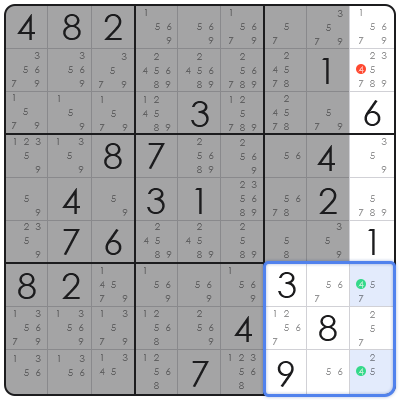
Sudoku is a popular puzzle game that requires players to fill a 9×9 grid with numbers so that each row, column, and 3×3 subgrid contains all of the digits from 1 to 9. Checking the validity of a Sudoku solution can be a fun and challenging task in Java programming. This guide will walk you through the process of creating a Java program to check if a given Sudoku grid is a valid solution.
#### Step-by-Step Guide to Checking Sudoku in Java
1. **Define the Sudoku Grid**
Start by defining a 9×9 array to represent the Sudoku grid. Each cell can be initialized with a value from 1 to 9, or 0 to indicate an empty cell.
2. **Create a Method to Check Rows**
Write a method that iterates through each row of the grid and checks if all numbers from 1 to 9 are present exactly once.
3. **Create a Method to Check Columns**
Similar to the rows, create a method to check each column for the presence of all numbers from 1 to 9.
4. **Create a Method to Check Subgrids**
Since Sudoku subgrids are 3×3, you’ll need a method that checks each of the nine subgrids for the correct numbers.
5. **Combine the Checks**
Combine the row, column, and subgrid checks into a single method that validates the entire Sudoku grid.
6. **Implement the Main Method**
In the main method, prompt the user to input the Sudoku grid and then call the validation method to check if the grid is a valid solution.
#### Code Example
“`java
public class SudokuChecker {
public static void main(String[] args) {
int[][] grid = {
{5, 3, 0, 0, 7, 0, 0, 0, 0},
{6, 0, 0, 1, 9, 5, 0, 0, 0},
// … (remaining grid cells)
};
if (isValidSudoku(grid)) {
System.out.println(“The Sudoku grid is valid.”);
} else {
System.out.println(“The Sudoku grid is invalid.”);
}
}
public static boolean isValidSudoku(int[][] grid) {
// Check rows, columns, and subgrids
// …
return true; // or false if any check fails
}
}
“`
#### FAQ
**Q: Can this program handle Sudoku grids of different sizes?**
A: The current implementation is for a standard 9×9 Sudoku grid. To handle different sizes, you would need to modify the code to accommodate the new grid size and adjust the number checks accordingly.
**Q: How can I input the Sudoku grid into the program?**
A: You can prompt the user to input the grid as a string or read it from a file. The main method in the example demonstrates how to initialize a grid with hardcoded values.
**Q: What if the Sudoku grid has invalid characters?**
A: The program should include error handling to check for invalid characters and prompt the user to re-enter the grid if necessary.
**Q: Can this program check for multiple solutions?**
A: The current implementation checks for a single valid solution. To find multiple solutions, you would need to implement a backtracking algorithm to explore all possible combinations.
**Q: How can I optimize the performance of the Sudoku checker?**
A: You can optimize the performance by reducing the number of checks performed, using more efficient data structures, or implementing parallel processing if the grid size is very large.
