### Sudoku Fitness Function in MATLAB: A Comprehensive Guide
#### Introduction
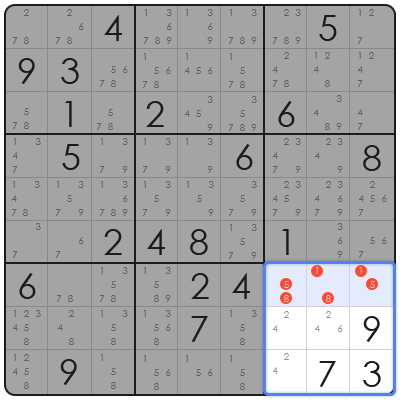
The Sudoku puzzle is a popular logic-based combinatorial number-placement puzzle. It involves a 9×9 grid that is divided into nine 3×3 subgrids. The objective is to fill the grid with digits so that each column, each row, and each of the nine 3×3 subgrids that compose the grid contain all of the digits from 1 to 9. MATLAB, being a powerful numerical computing environment, can be utilized to create a fitness function for solving Sudoku puzzles. This article provides a detailed explanation of how to implement a Sudoku fitness function in MATLAB.
#### Implementing the Sudoku Fitness Function
1. **Grid Initialization**: Start by initializing the Sudoku grid. In MATLAB, you can create a 9×9 matrix to represent the grid, where empty cells are represented by zeros.
“`matlab
grid = zeros(9, 9);
“`
2. **Fitness Function**: The fitness function evaluates how close a given grid is to a valid Sudoku solution. It checks for violations in rows, columns, and 3×3 subgrids. A perfect solution would have a fitness score of 0.
“`matlab
function fitness = sudokuFitness(grid)
fitness = 0;
for i = 1:9
% Check rows
fitness = fitness + checkRow(grid, i);
% Check columns
fitness = fitness + checkColumn(grid, i);
end
% Check 3×3 subgrids
for i = 1:3
for j = 1:3
fitness = fitness + checkSubgrid(grid, i, j);
end
end
end
“`
3. **Row Check**: This function checks if a row contains any duplicate numbers.
“`matlab
function violations = checkRow(grid, row)
violations = 0;
for i = 1:9
if (any(grid(row, 🙂 == i) && i ~= 0)
violations = violations + 1;
end
end
end
“`
4. **Column Check**: Similar to the row check, this function checks for duplicates in columns.
“`matlab
function violations = checkColumn(grid, col)
violations = 0;
for i = 1:9
if (any(grid(:, col) == i) && i ~= 0)
violations = violations + 1;
end
end
end
“`
5. **Subgrid Check**: This function checks for duplicates in the 3×3 subgrids.
“`matlab
function violations = checkSubgrid(grid, subgridRow, subgridCol)
violations = 0;
subgrid = grid(subgridRow*3:(subgridRow*3)+2, subgridCol*3:(subgridCol*3)+2);
for i = 1:9
if (any(subgrid == i) && i ~= 0)
violations = violations + 1;
end
end
end
“`
#### Frequently Asked Questions (FAQ)
**Q1: What is the purpose of the fitness function in Sudoku solving?**
A1: The fitness function is used to evaluate the quality of a given Sudoku grid. It helps in determining how close the grid is to being a valid solution.
**Q2: How do I initialize the Sudoku grid in MATLAB?**
A2: You can initialize the grid using a 9×9 matrix in MATLAB, with empty cells represented by zeros.
**Q3: What are the different checks performed in the fitness function?**
A3: The fitness function checks for duplicate numbers in rows, columns, and 3×3 subgrids. Each violation adds to the fitness score.
**Q4: How can I improve the fitness score of a Sudoku grid?**
A4: To improve the fitness score, you can try different strategies to fill in the empty cells while ensuring that the rules of Sudoku are not violated.
**Q5: Can the fitness function be used for other puzzles?**
A5: Yes, the concept of a fitness function can be adapted for other puzzles that require logical placement of numbers or symbols.
