### Sudoku Grid Printing Guide
#### Understanding Sudoku Grids
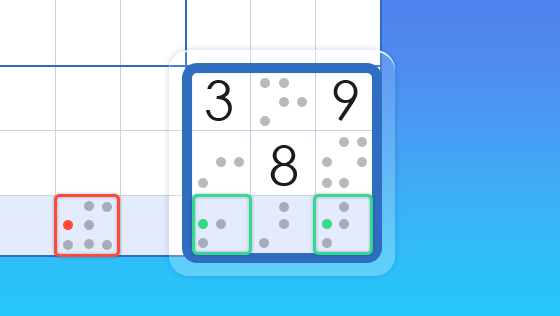
Sudoku is a popular logic-based puzzle that involves filling a 9×9 grid with digits so that each column, each row, and each of the nine 3×3 subgrids that compose the grid (also called “boxes”, “blocks”, or “regions”) contain all of the digits from 1 to 9. To enjoy Sudoku puzzles, having a well-printed grid is essential. This guide will help you understand how to print out a Sudoku grid for your puzzle-solving pleasure.
#### How to Print a Sudoku Grid
1. **Choose a Sudoku Grid Template**: There are numerous online resources where you can find Sudoku grid templates. Websites like Sudoku.com or Puzzle Master offer a variety of grid styles and sizes.
2. **Select the Right Size**: Ensure you select a grid that fits your printing preferences. Standard Sudoku grids are 9×9, but you can also find larger grids for more challenging puzzles.
3. **Print the Grid**: Once you have selected the grid, click on the print option. Make sure to check the print settings to ensure the grid is scaled correctly and will fit the paper size you have chosen.
4. **Check the Print Quality**: After printing, examine the grid to ensure that the lines are clear and the numbers are legible. If the print quality is not up to par, you may need to adjust the printer settings or try a different printer.
5. **Use a Ruler for Alignment**: If you prefer, you can use a ruler to help you align your pencil marks and ensure that you are following the grid lines accurately.
#### FAQs
**Q: Can I print a Sudoku grid on any type of paper?**
A: Yes, you can print a Sudoku grid on regular printer paper. However, if you want to make your puzzle more durable, you might consider using thicker paper or cardstock.
**Q: Are there Sudoku grids available for different skill levels?**
A: Absolutely. Websites offering Sudoku grids often provide puzzles ranging from easy to expert difficulty. You can choose a grid that matches your current skill level.
**Q: How do I keep my Sudoku grid from getting damaged while solving?**
A: You can use a clear plastic sheet or a protective cover to keep your Sudoku grid from getting smudged or damaged while you are solving it.
**Q: Can I print a Sudoku grid on a label printer?**
A: Yes, you can print a Sudoku grid on a label printer, especially if you have a template designed for label paper. This can be useful if you want to create custom Sudoku puzzles.
**Q: Are there any online tools that can help me print Sudoku grids?**
A: Yes, there are several online tools available that allow you to generate and print Sudoku grids. These tools often let you customize the grid size and style to your preference.
**Q: How do I ensure that the grid is properly aligned when printing?**
A: Check the printer’s alignment settings and make sure the paper is placed correctly in the tray. You can also use the grid’s own lines as a guide to align your printer.
By following these guidelines and FAQs, you should be able to print out a Sudoku grid that is perfect for your puzzle-solving endeavors. Happy printing and solving!
